
User Guide
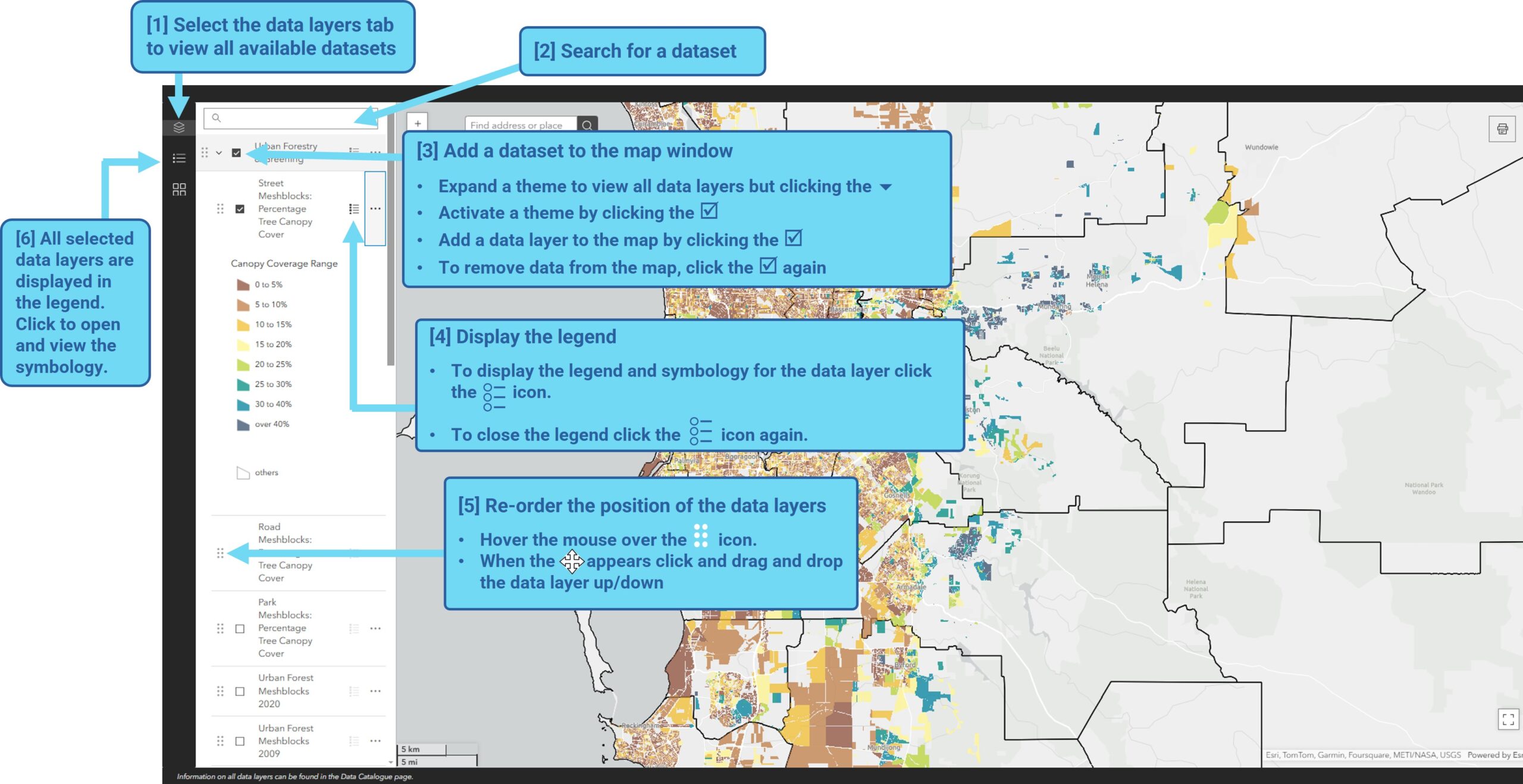
The following guide explains how to search for and add data layers to the map portal.
The portal is designed for desktop view for the optimal user experience .
Finding and Adding Data to a Map
Add data layers to the map and see the legend / layer symbology.
Click the Image to enlarge it
Other Map Functions
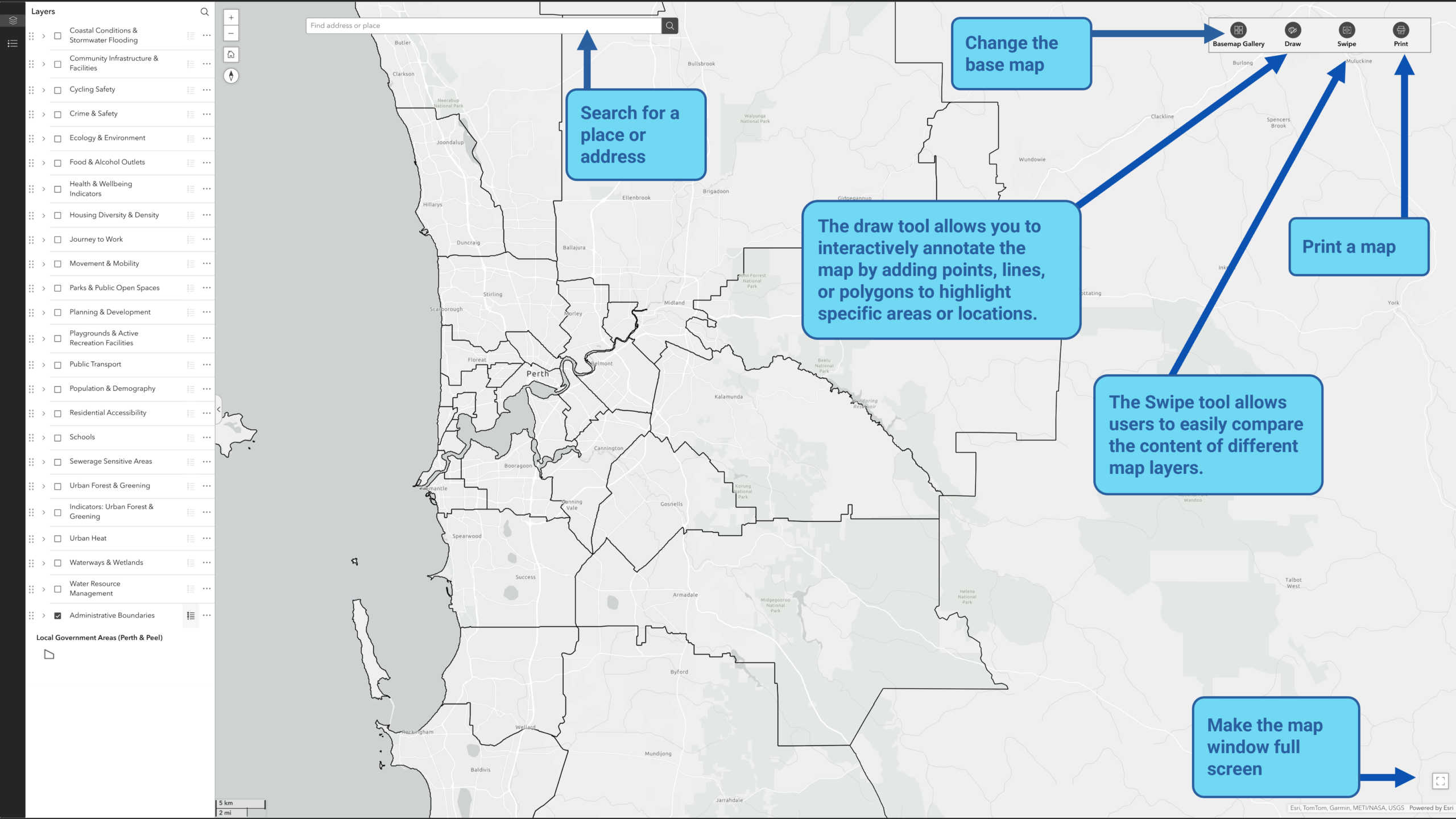
Search a place, change the base map imagery and male the map full screen.
Click the Image to enlarge it
Viewing Data Layer Attribute Information
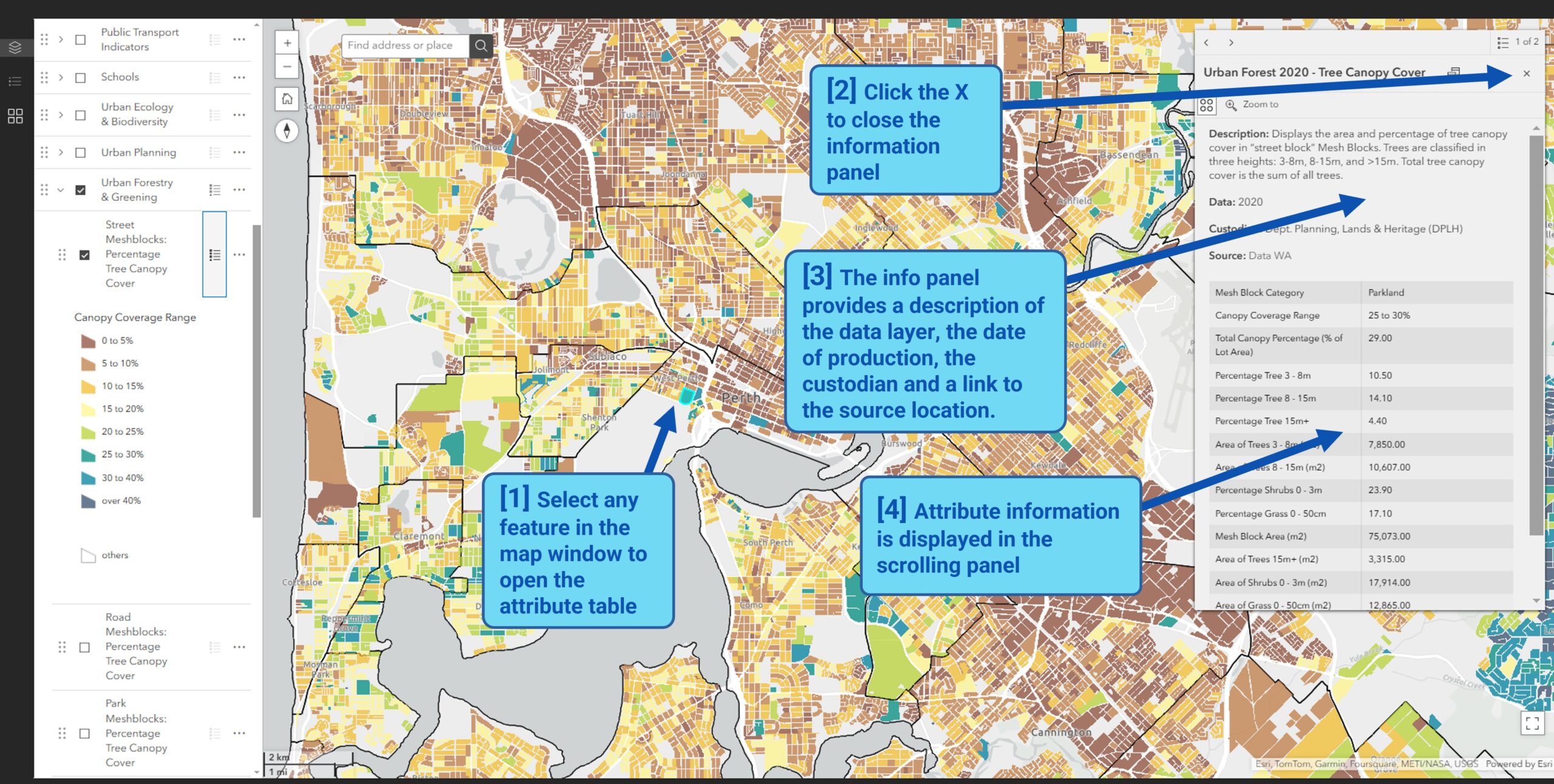
View the attribute information for features within a spatial data layer.
Click the Image to enlarge it
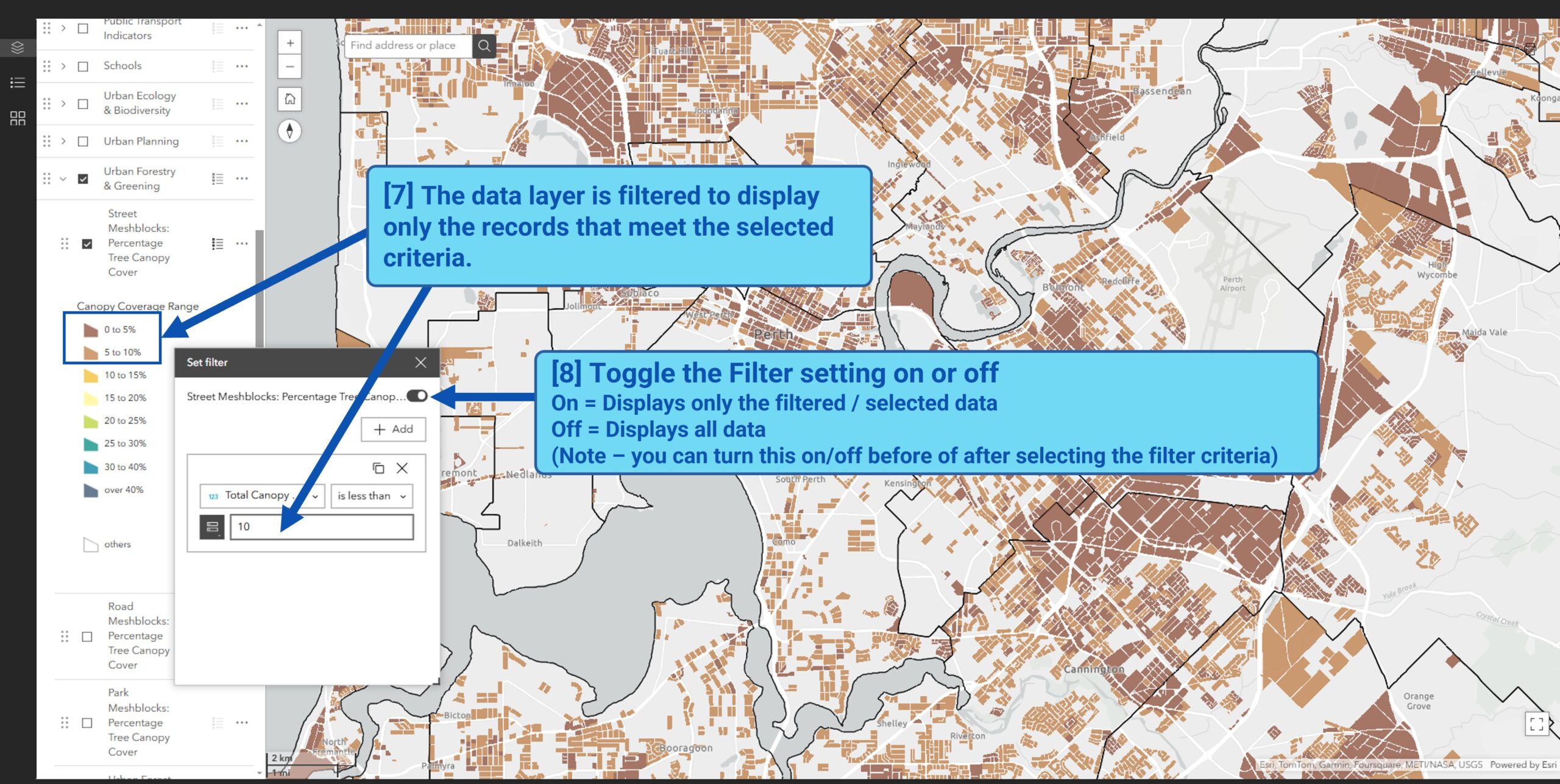
Filter the data
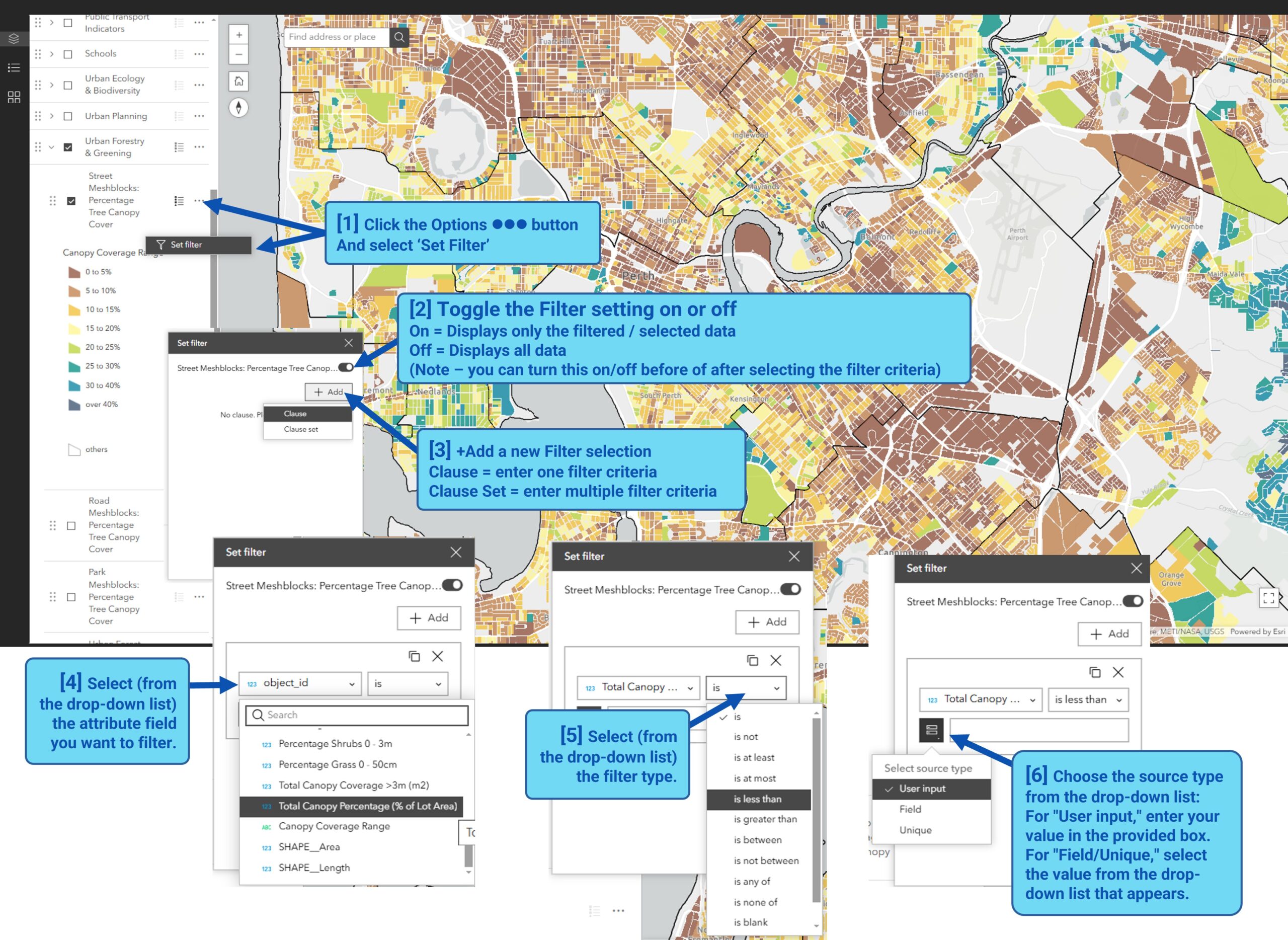
Create a filter to limit the visibility of features in a layer to only those that meet certain criteria.
You can apply filters to multiple layers.
Click the Image to enlarge it
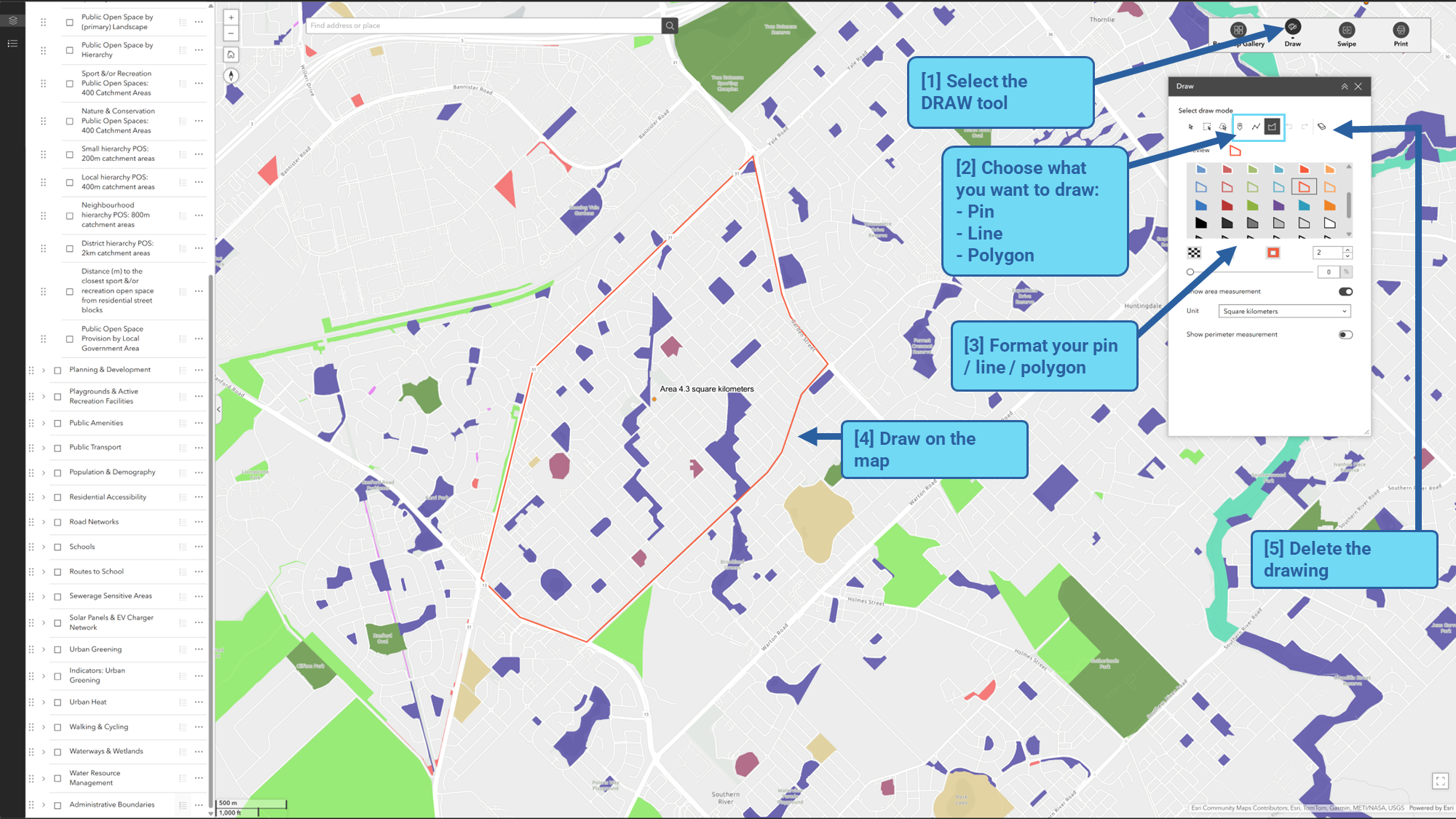
Using the draw tool
The draw tool allows you to interactively annotate the map by adding points, lines or polygons to highlight specific areas or locations.
For example, draw a polygon to outline an area of interest of drop a pin to flag in important site.
Click the Image to enlarge it
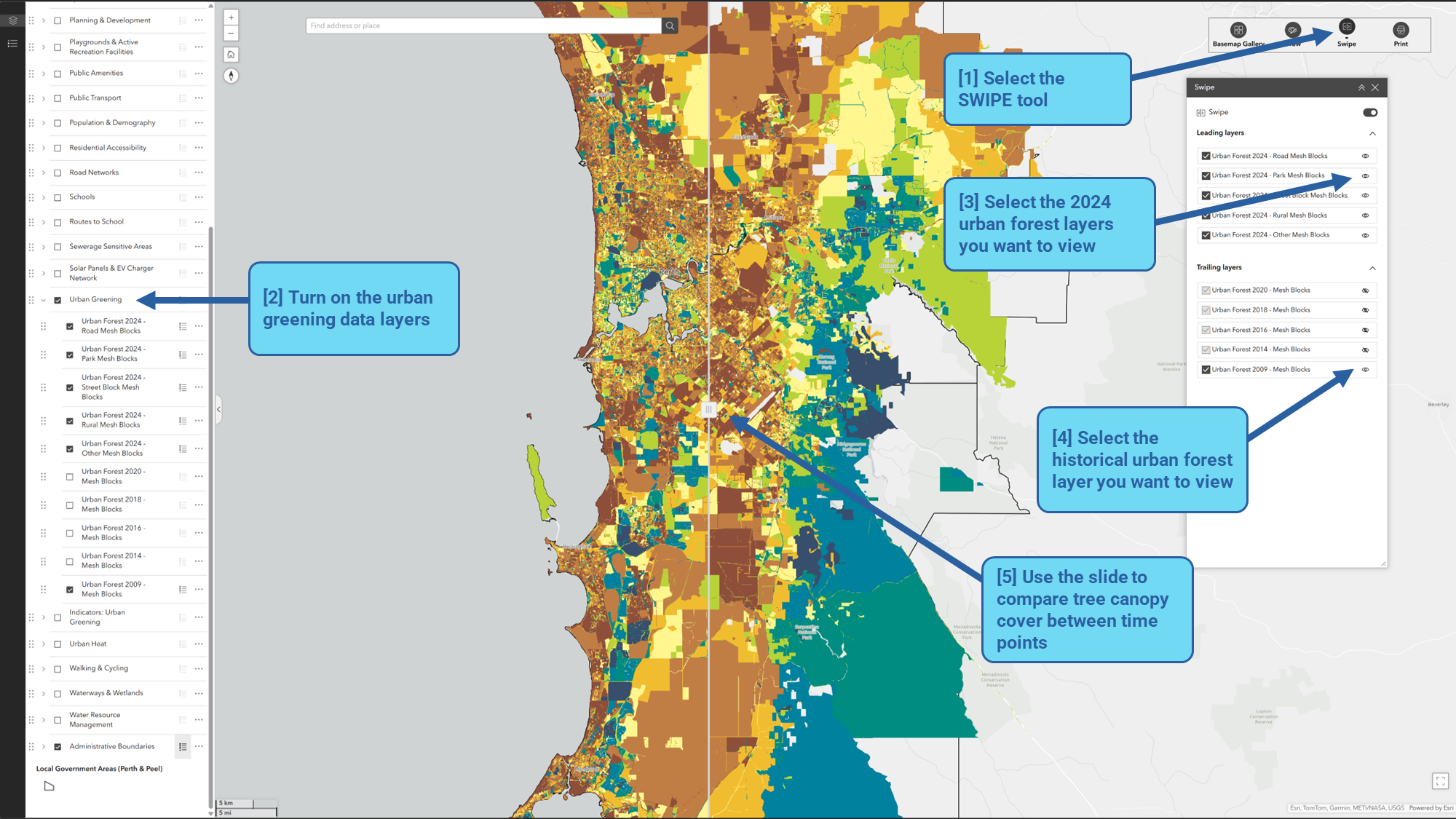
Using the swipe tool
The Swipe tool allows users to easily compare the content of different map layers.
For example, comparing tree canopy cover across different urban forest data collection years, or to examine the relationship between land surface temperature and canopy cover within school catchment areas.
Click the Image to enlarge it